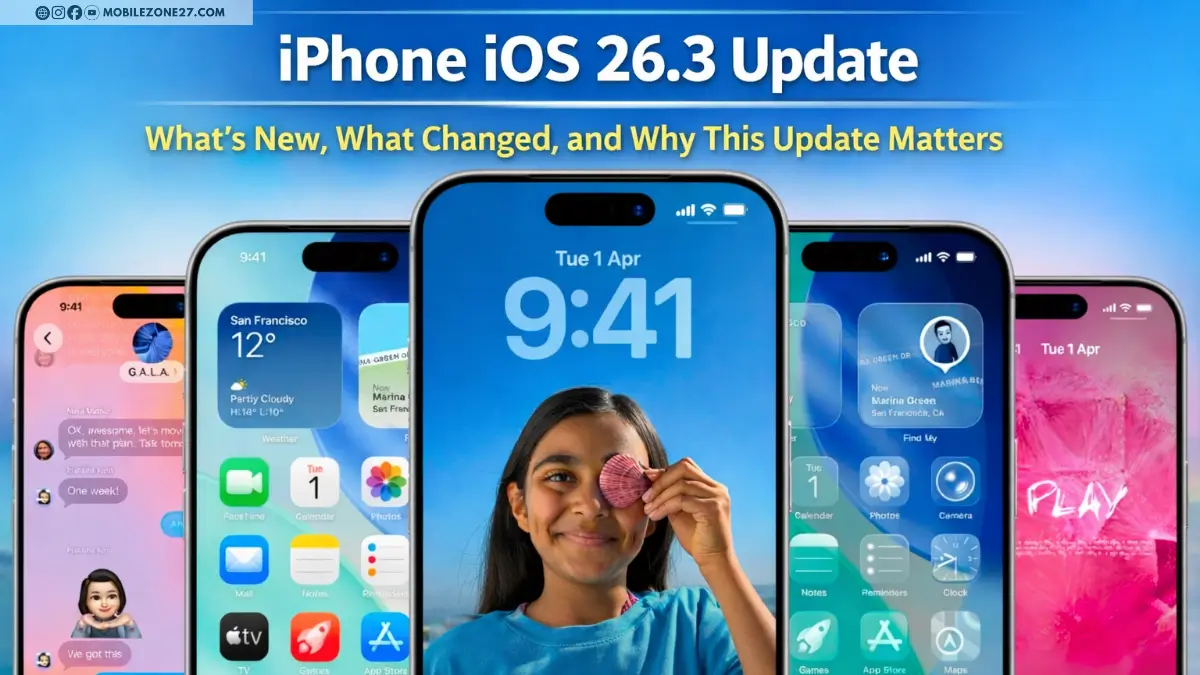
Apple has officially pushed the iPhone iOS 26.3 update, and many users are confused.
The version number sounds big, so people expect huge new features, new apps, or dramatic design changes.
But in reality, iOS 26.3 is more about refining the system, improving stability, making small but meaningful UI upgrades, and introducing a few important changes that show Apple is slowly adjusting its closed ecosystem.
Even though this update may look small on paper, it can improve your everyday experience in several ways.
Let’s break everything down clearly and deeply.
What Type of Update Is iOS 26.3?
The iPhone iOS 26.3 update mainly focuses on:
- Interface polish
- Smoother performance
- Better battery behavior
- Bug fixes
- Privacy adjustments
- Support for new hardware
- Small ecosystem changes
So instead of adding flashy tools, Apple is improving how your iPhone already works.
For many users, these updates are actually more important than feature-packed releases.
Apple Music Change: Full-Size Album Covers
One of the visible changes appears in Apple Music.
What changed?
- Album covers on the Home page now appear larger and more complete.
- The colored block under the text has been removed.
- The design looks cleaner and more modern.
Why this matters
Album artwork is a big part of music discovery. When images are bigger and clearer:
- The app feels more premium.
- Content is easier to recognize.
- The screen looks less crowded.
It may seem like a small tweak, but if you use Apple Music daily, you will notice it immediately.
ALSO READ — IPHONE 18
Notification Forwarding to Third-Party Devices
This is one of the most surprising changes in the iPhone iOS 26.3 update.
Apple now allows notifications to be forwarded to some non-Apple accessories, such as third-party smartwatches.
How it works
- Notifications can go to one accessory at a time.
- If forwarding is active, Apple Watch will not show duplicates.
The big limitation
This feature is mainly available in regions like the European Union.
In many other countries, Apple has removed it.
Why this is important
Apple has always preferred users to stay inside its ecosystem.
By allowing third-party watches to receive notifications, Apple is slowly relaxing that rule. This is likely influenced by regulatory pressure.
It may look small, but it is a signal that Apple’s system could become more open in the future.
New “Transfer to Android” Option
Yes, you read that right.
Apple is now helping users move data from iPhone to Android.
This is something Apple never made easy before.
What can be transferred
- Photos
- Contacts
- Messages (depending on support)
- Basic data
Why this is a big deal
Normally, Apple makes it extremely easy to switch to iPhone but complicated to leave.
Now, with a built-in tool, Apple is showing a new level of flexibility.
But there is a catch
You still need a compatible Android device.
Early information suggests Pixel phones may work best.
So it’s open — but not fully open.
Lock Screen Wallpapers Are Now Easier to Understand
Apple has updated how Weather and Astronomy wallpapers are shown.
What’s new
- They now appear in separate categories.
- Apple added three preset Weather styles.
- Each preset uses different fonts and widgets.
Why this helps users
Before this update, many people didn’t understand how the weather wallpaper worked.
Now Apple shows ready-made examples, so users can quickly choose a design they like instead of experimenting.
This makes customization easier, especially for beginners.
New Privacy Feature: Limit Precise Location via Carrier
This is one of the most serious and meaningful updates in iOS 26.3.
Apple added a feature that reduces how precisely your mobile carrier can track you.
What it does
Instead of giving your exact live location, the system may share only an approximate area.
Why this is important
Even if you deny location access to apps, carriers can still estimate where you are through network connections.
This new control adds another layer of protection.
Restrictions
- Works only on devices with the C1 chip.
- Supported by a limited number of international carriers.
- Emergency services will still receive your real location.
So privacy improves, but safety remains.
Support for the New AirTag
iOS 26.3 includes system preparation for the latest AirTag generation.
You may not see anything new in menus, but this ensures:
- Better pairing
- Improved compatibility
- Proper tracking performance
If you plan to buy a new AirTag, updating is recommended.
Bug Fixes That Improve Daily Usage
Apple has fixed multiple issues.
One well-known example is the Photos app delete animation lag.
Small? Yes.
Annoying every day? Also yes.
Other invisible fixes likely include:
- Better memory management
- Fewer UI freezes
- More stable background tasks
- Reduced chances of app crashes
These updates may not be exciting, but they make your phone feel more reliable.
Battery Life Expectations
Apple never promises miracles, but because the focus is stability, users may notice:
- Slightly better standby time
- Fewer random heating moments
- More consistent drain behavior
However, if your battery health is low, software alone cannot fully fix it.
Hidden Hint: M5 Chip References
Reports say code inside the iOS 26.3 RC version mentions future M5 processors, including possible Max and Ultra versions.
This does not change anything for your iPhone today, but it hints that new Macs may be coming soon.
What This Update Tells Us About Apple
The most interesting thing about the iPhone iOS 26.3 update is not the UI polish.
It’s the direction.
Apple is:
- allowing easier exits to Android
- letting other devices receive notifications
- improving carrier-level privacy
These moves suggest Apple is slowly adapting to global demands for more openness.
Should You Install iOS 26.3?
For most users, yes.
You should update if:
- You want better stability
- You prefer smoother animations
- You want bug fixes
- You care about privacy improvements
- You plan to use new accessories
You can wait if:
- Your phone is already perfect
- You like waiting for feedback
Final Thoughts
The iPhone iOS 26.3 update is not dramatic, but it is meaningful.
It improves everyday reliability, cleans up the interface, strengthens privacy, and quietly shows that Apple is starting to loosen its ecosystem rules.
Sometimes the most important updates are the ones that make your phone feel better — not diff