


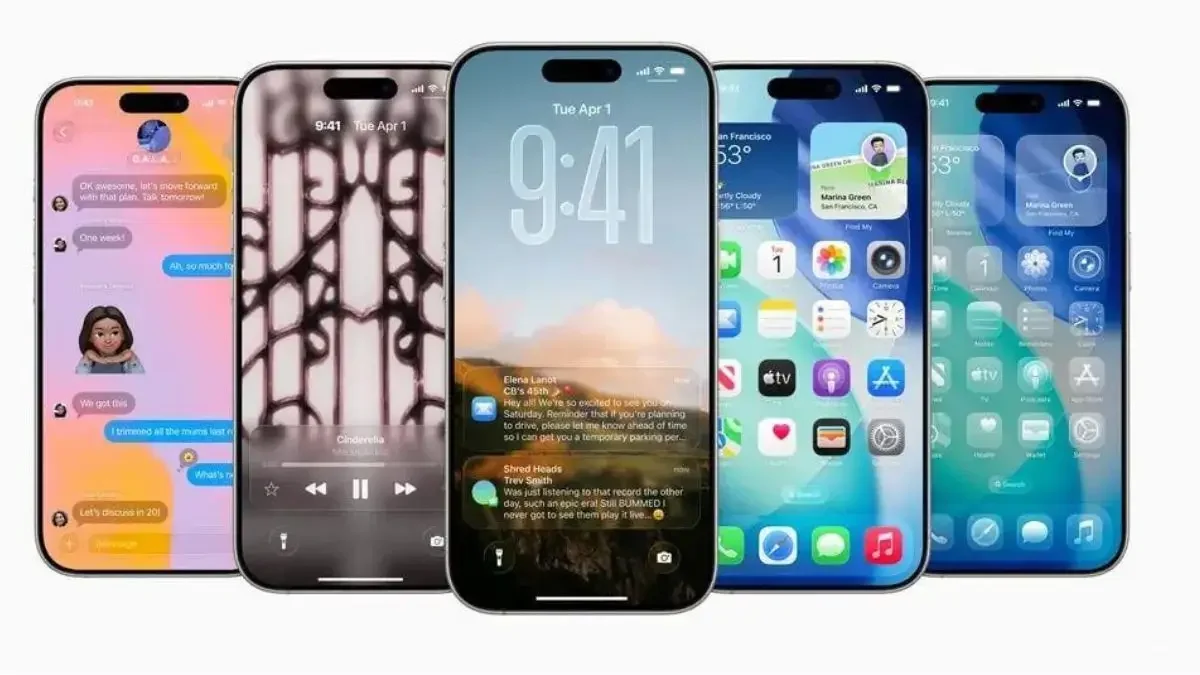
If you thought iOS 25 was impressive, wait until you experience iOS 26! Apple is stepping up its game with the iOS 26 public beta, introducing smarter AI integration, dynamic visuals, and seriously useful upgrades that make your iPhone feel like a futuristic gadget.
Here’s a closer look at 9 standout features that make iOS 26 worth checking out before everyone else gets it:
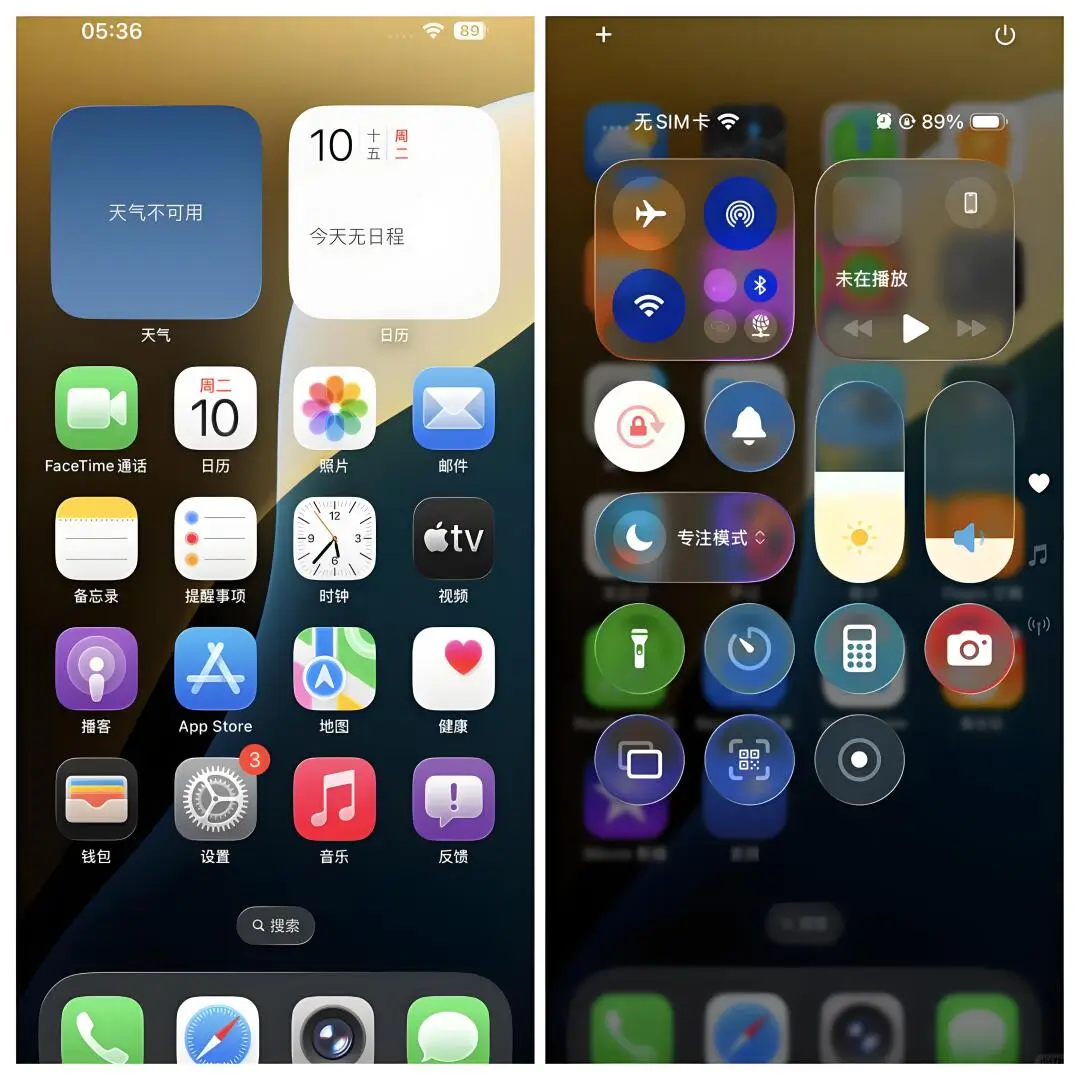
iOS 26 Home Screen and Control Center
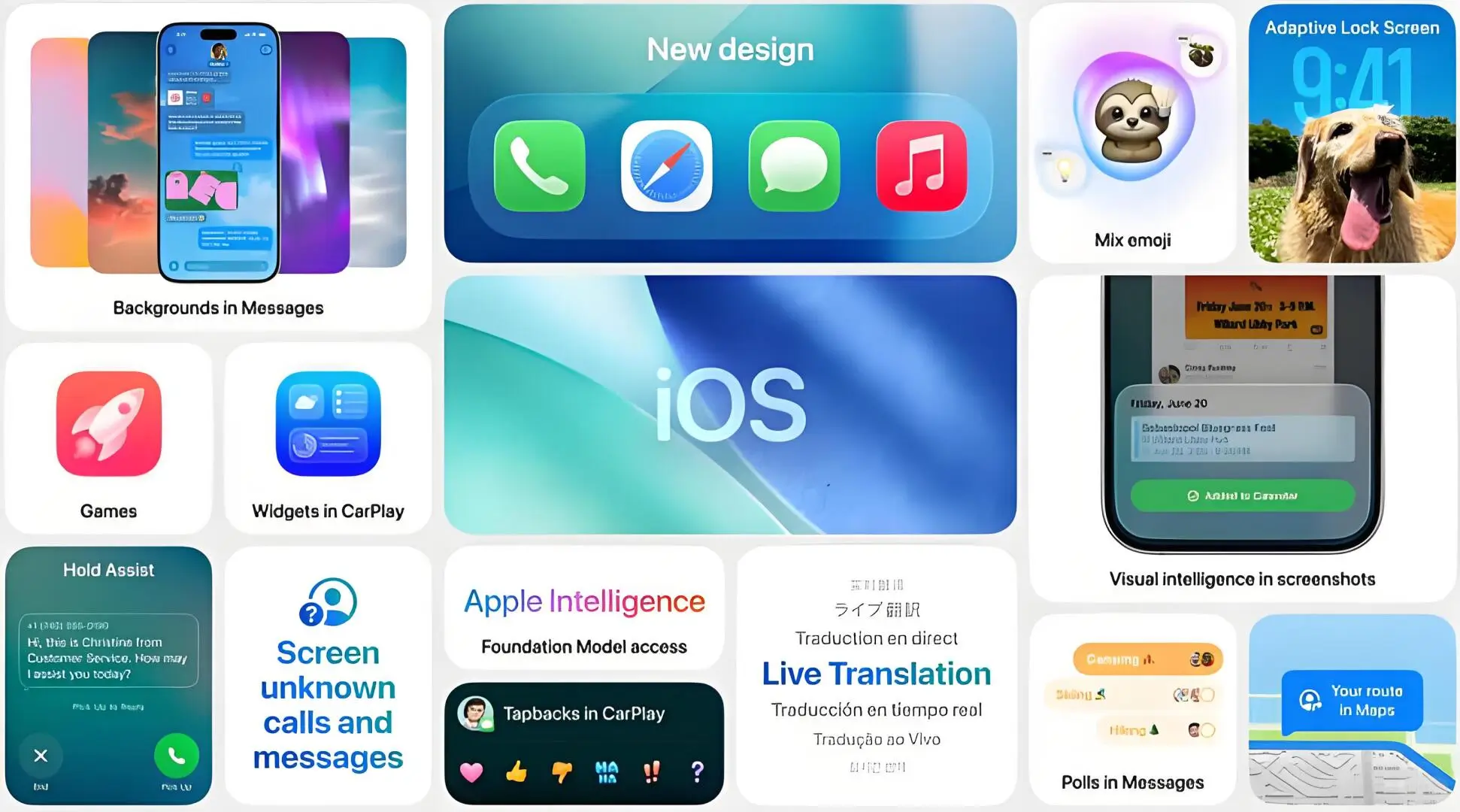

This image showcases the all-new iOS 26 home screen and control center design, featuring refreshed icons, smoother animations, and widget enhancements for a more dynamic iPhone experience.
1. Liquid Glass Dynamic Interface
The new Liquid Glass interface makes everything look smoother and more alive. Icons ripple, transitions flow like liquid, and the entire UI feels polished and immersive like never before.
2. Fully Integrated Apple Intelligence (AI)
iOS 26 brings Apple Intelligence into the core system. It helps summarize long emails, rewrite social posts, clean up images, and even automate daily tasks with a natural, intuitive feel.
3. Dynamic Island 2.0
Now 17% smaller but more powerful—Dynamic Island 2.0 displays more live information like call progress, delivery updates, and music control, without crowding your screen.

4. Smarter Interactive Widgets
Widgets are no longer just passive info panels. In iOS 26, you can complete tasks like marking to-dos, tracking expenses, and running timers—right from the home screen.
Also Read – Apple iPad Air 13 (2025): A Powerful Upgrade with M3 Chip and 13-Inch Display
5. Satellite Messages 2.0
When you’re off-grid, Satellite Messaging lets you send text, share locations, and call for help, as long as you have a clear view of the sky. Perfect for campers and hikers.
6. Battery Health+
This feature includes capacity prediction, charging cycle analysis, and AI tips for battery care. It helps you maintain your battery life and reduce degradation over time.
Also Read – iOS vs Android vs Harmonyos : Comparison Which Operating System is Best for You?
7. Game Mode Pro
Gamers rejoice! iOS 26 introduces Game Mode Pro, which boosts performance by freezing background apps, boosting frame rate, and enhancing haptics. It can even keep demanding games like Genshin Impact running at 120fps with efficient cooling.
8. CarKey 5.0
Now you can adjust your car’s climate and seating remotely, and even share digital keys through iMessage. Lending a car has never been this smart or secure.
Also Read – At Just 5425 Yuan, This Might Be the Best Apple Deal Right Now
9. Real-Time Call Assistant Subtitles
This new “Subtitles” feature lets you read live transcriptions of the other person during a call. It’s perfect for noisy places or when you need a summary of a meeting conversation fast.
Bonus: Upgrade Tips & Smart Video Creation
While the beta is stable, some third-party apps (especially banking) might face occasional bugs. Proceed with caution if you rely heavily on your phone for work.
Also, one standout new AI feature is Smart Video Creation. Just select a few clips or photos, and your iPhone will automatically generate a short story video with music, subtitles, and smooth transitions. No editing skills needed!
So, which iOS 26 feature are you most excited to try? Let us know in the comments!


Hasnain Hasan is the founder and lead writer behind this platform. With over 5 years of hands-on experience in the tech industry, he specializes in breaking down the latest trends, tools, and technologies into easy-to-understand content. A part from writing, Hasnain is actively creating and sharing tech-related content on YouTube, Instagram, and X (formerly Twitter), where he connects with a growing audience of tech enthusiasts and learner